
CATIA V5 and PLM data migration to 3DEXPERIENCE
We assess CATIA V5 and legacy engineering data, agree which revisions, files, product structures and relationships must move, then reconcile trial loads before you approve cut-over.
Problems this covers
- File-based CATIA V5 data needs to move under 3DEXPERIENCE management
- Legacy PLM data has inconsistent part numbers, revisions or duplicates
- Merging or splitting 3DEXPERIENCE environments
- Product structures, reused components and drawing links must survive the move
- A cut-over window that can't slip
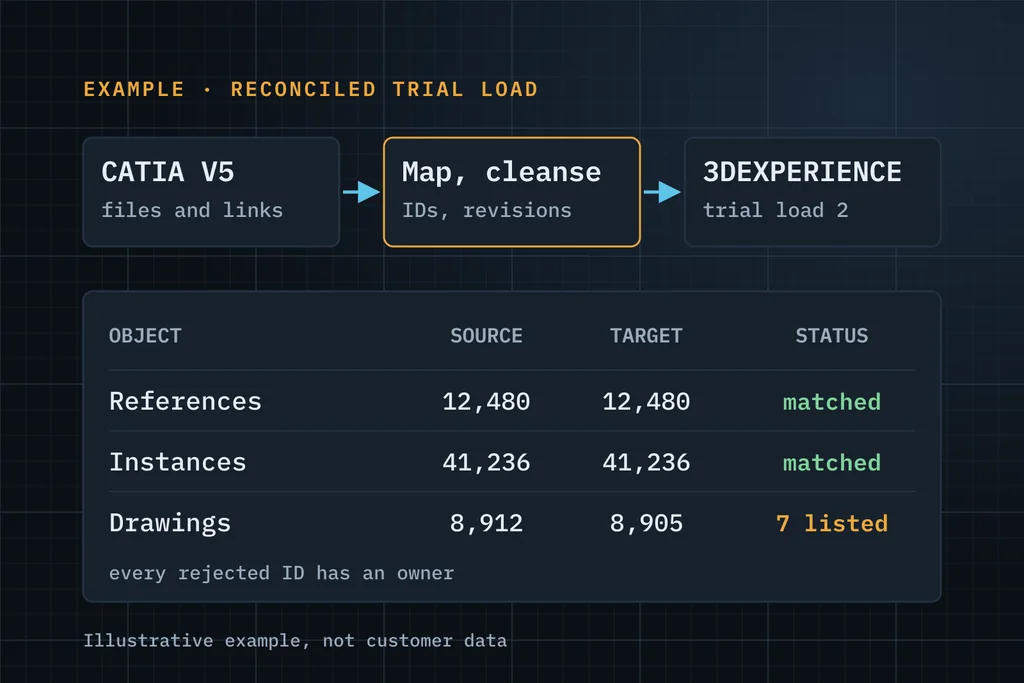
From source assessment to a reconciled cut-over
Decide the mode
Import file-based V5 data, manage V5 authoring through 3DEXPERIENCE, or move authoring to 3DEXPERIENCE CATIA. These are separate scoping decisions.
Map
Source identifiers, revisions, ownership and maturity to the target model, including which entities become VPMReference, VPMInstance and representations where applicable to the chosen target model.
Trial loads
Repeated trial migrations, each reconciled: identity and revision, relationship endpoints, attributes, file availability and CAD open tests.
Cut over
Approved against agreed acceptance criteria, with every excluded or rejected record listed with an owner.
What you receive
- Source-data assessment and migration mode decision
- Mapping specification: identifiers, revisions, structures, files
- Reconciliation report after every trial load
- Cut-over plan and acceptance record
Three ways to start
Start with free support
Up to 5 hours to understand the issue and tell you what to check or do next. No obligation.
Request free supportEssentials assessment Paid
A written problem statement, recommended next steps, a proposed scope and an effort estimate. You approve the fee before it starts.
Ask about an assessmentDiscuss a scoped project
Upgrade, migration, integration, customisation or configuration with a defined goal. We reply with questions, then a proposal.
Discuss a projectWhat to include in your first message
- The source: file-based CATIA V5, a legacy PLM or another 3DEXPERIENCE
- Data types: parts, documents, CAD, BOMs, and approximate volume
- Target release and FD
- Whether history and old revisions must move
- Your cut-over constraints
A few lines are enough. Please leave out passwords, confidential CAD files and customer data.
Common questions
Which source systems?
File-based CATIA V5, legacy PLM systems and other 3DEXPERIENCE environments. Tell us what you have and we'll say honestly whether we can assess it.
How do you show nothing was lost?
Reconciliation after every trial: by identity and revision, relationship endpoints, attributes and file availability, plus representative CAD open and update tests. Rejected records are listed, never dropped quietly.
How long does a migration take?
It depends on volume, data quality and the migration mode. The assessment produces a plan and an estimate.
Describe the failed operation, release and deployment.
Describe it in a few lines. If it's a good fit, we'll use up to 5 hours of free support to understand it and tell you plainly what to check or do next.