
3DEXPERIENCE and ENOVIA technical support
Failed maturity transitions, 3DSpace access errors, 3DPassport sign-in loops and file open or save failures. We record the release and FD level, the security context and the exact error, reproduce it, then correlate the evidence your deployment makes available.
Problems this covers
- A promote or revise fails for one role or collaborative space, and the message names only a policy or a trigger
- Users are sent back to the 3DPassport sign-in page, or are signed in but can't see objects they should
- Check-in, check-out or open from the native app fails or stalls on file transfer through FCS
- Search or 6WTags don't reflect changes made hours ago
- Background jobs, conversions or interfaces fail overnight and nobody is told
- Behaviour changed after a Functional Delivery (FD) or hotfix, and nobody knows which change caused it
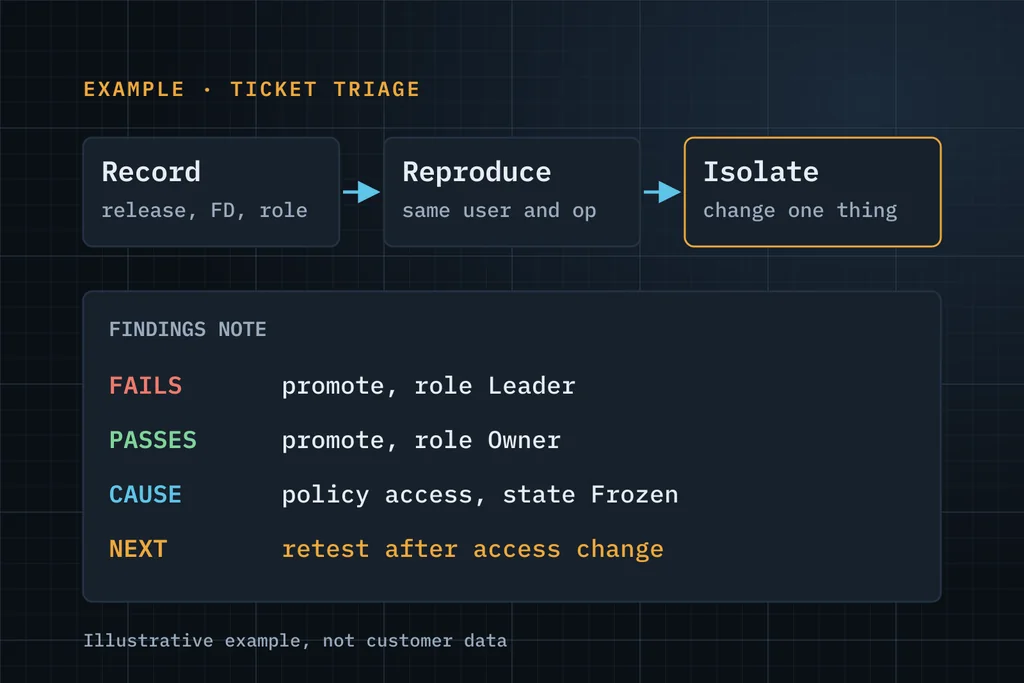
What we look at first
| Symptom | Evidence we collect |
|---|---|
| Sign-in loop or session drops | Customer-managed: 3DPassport and reverse-proxy logs. Cloud: client and browser evidence. Both: certificate and URL configuration, Launcher behaviour at the time of failure |
| “No access” or missing objects | Collaborative space membership, organisation and role (security context), object policy and state, ownership and access rules |
| Promote or approval fails | Policy and state definition, signatures, any trigger or check on the transition, and the exact error with its timestamp |
| Open or save fails on file transfer | Customer-managed: FCS and store configuration. Both: client logs, file size and network path from the affected site |
| Search out of date | Customer-managed: indexing jobs and their logs. Both: the object's last modification and when it appears in search |
Choose how to reserve support time
After the first investigation, agree an arrangement for your release, deployment and support queue. Each option is quoted against scope; hours and availability are confirmed in writing.
Prepaid hours
A block of time for intermittent ENOVIA access or maturity errors, CATIA loading investigations or xCAD save failures. We agree the hours, validity, scheduling and how usage is recorded before work starts.
Ask about prepaid hoursMonthly retainer
Reserved monthly capacity for an agreed administrator or user support queue, with incident findings and time used recorded. Included hours, response targets, update frequency and any rollover are set in the proposal.
Ask about a monthly retainerPartner bench
Reserved hours or days under your project lead for ENOVIA administration, release regression tests, migration reconciliation or escalations. We agree skills, dates, reporting and customer-contact rules before you schedule the work.
Discuss partner bench capacityThe written agreement defines included work, coverage, response targets, usage limits and approval for additional hours. Reserved capacity is not unlimited support or 24/7 cover. First response is not a guaranteed resolution time. See the standard response targets; your package confirms the targets that apply.
When we're available, and how fast we respond
Coverage hours: weekdays 17:30–23:30 IST (about 12:00–18:00 UK and 07:00–13:00 US Eastern in winter) and a Saturday half-day. Partner work is mostly asynchronous, with a written update each coverage day.
| Priority | First response (within coverage hours) | Updates |
|---|---|---|
| P1 · Production down | Within 2 coverage hours | Every coverage day |
| P2 · Major degradation | Within 4 coverage hours | Every 2 coverage days |
| P3 · Request or question | Next coverage day | As agreed |
Standard targets for support retainers and partner bench agreements. Each package confirms its own targets in writing (an entry-level retainer may have longer ones). These are first-response targets, not resolution times, and assume one active P1 at a time. New enquiries are answered by the next coverage day.
From the failed operation to evidence and a next step
Reproduce
Agree the operation, user, security context, release and FD level, and reproduce it in a test environment or a controlled session.
Collect evidence
On customer-managed installations: 3DPassport, 3DSpace and FCS logs, and read-only MQL inspection where access permits. On Dassault-managed cloud: client evidence and tenant configuration.
Isolate
Separate configuration, data, customisation, infrastructure and product behaviour, and say which one the evidence points to.
Fix or escalate
Fix it with you where we can. Where it needs a product fix, prepare the evidence for your Dassault Systèmes support route.
What you receive
- A reproducible incident record: operation, release and FD, security context, timestamps
- Findings supported by evidence, separating cause from hypothesis
- The fix, or the next test or remediation step, in priority order
- Notes your administrators can reuse, and optional support hours agreed in writing
Three ways to start
Start with free support
Up to 5 hours to understand the issue and tell you what to check or do next. No obligation.
Request free supportEssentials assessment Paid
A written problem statement, recommended next steps, a proposed scope and an effort estimate. You approve the fee before it starts.
Ask about an assessmentDiscuss a scoped project
Upgrade, migration, integration, customisation or configuration with a defined goal. We reply with questions, then a proposal.
Discuss a projectWhat to include in your first message
- The operation that fails and the exact error text, with a time it happened
- Who is affected: one user, a role, a collaborative space or everyone
- Release and FD level, and cloud or customer-managed
- When it started, and anything that changed then (FD, hotfix, config)
- What has already been tried
A few lines are enough. Please leave out passwords, confidential CAD files and customer data.
Common questions
Can you support a platform you didn't install?
Yes. We start by recording what is there (release, FD level, installed apps, customisations) before changing anything.
Do you need admin access on day one?
No. The first conversation needs only a description and the error text. If access is needed, we agree the method with your IT team: a test environment, screen sharing or a controlled remote session.
Do you replace our Dassault Systèmes partner's support?
No. We can work alongside a partner or an internal team on hard or recurring problems. Product defects still go through your Dassault Systèmes support route.
Cloud and on-premise?
Both, but the evidence differs. On customer-managed installations we can work with server logs and MQL. On the Dassault-managed cloud we work with client evidence and tenant configuration, and escalate through your support route.
What does the free support cover?
Up to 5 hours on one specific issue: reproducing it, initial investigation and the next step. It doesn't promise a root cause or a fix within that time.
Describe the failed operation, release and deployment.
Describe it in a few lines. If it's a good fit, we'll use up to 5 hours of free support to understand it and tell you plainly what to check or do next.