Keeping 3DEXPERIENCE customisations upgrade-safe: a practical checklist
Applies to: a design and review checklist for 3DEXPERIENCE customisations. Which mechanisms apply (JPOs and triggers on customer-managed installations, EKL, widgets) depends on your deployment and release; validate against the installed release's documentation.
Customisations are rarely the reason an upgrade is planned, but they are a common reason one overruns. A trigger, JPO or EKL rule written for one release can behave differently on the next, and the person who wrote it may have moved on.
The fix is not "no customisation". It is customisation that is known, structured and tested. Here is the checklist we use.
1. Know exactly what you have
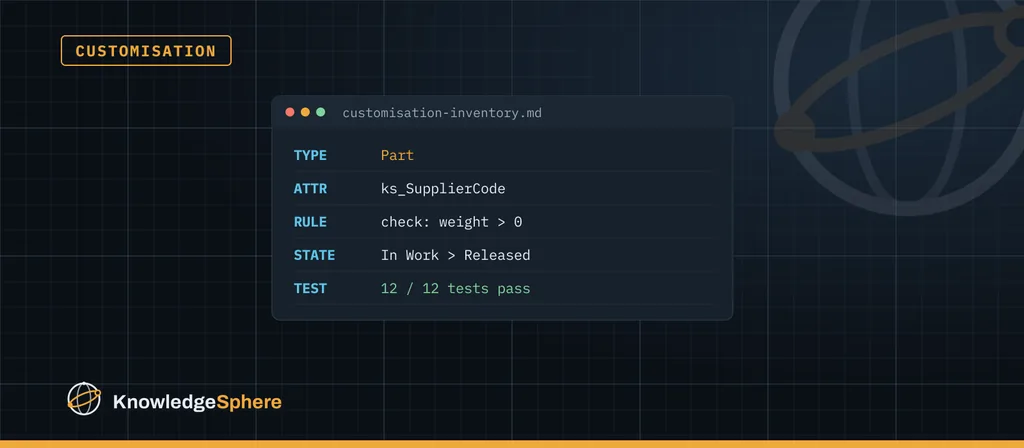
Before anything else, build an inventory. For every customisation, record:
- What it is: EKL business rule, trigger, JPO, widget, web service, data model extension, configuration change.
- What it does, in one sentence a business user would understand.
- Where it runs: which type, policy, state or event.
- Who depends on it and what breaks if it is switched off.
- Where the source lives and who last changed it.
Include dependencies outside the visible business rule: JPOs invoked by policy triggers, configuration properties, scheduled jobs, EKL logic, and widgets or services that read the same attributes. Customisations nobody remembers are the ones that fail silently after an upgrade.
2. Prefer configuration to code
Many requirements that were coded years ago can now be met with standard configuration, attributes or business rules in newer releases. Every piece of code you can retire is one less thing to test and maintain.
During an upgrade review, ask of each customisation: is it still needed, and can the current release do this without code?
3. Never modify delivered files
Changing a delivered program, page or script directly is the fastest way to lose your change at the next upgrade, or to break the upgrade itself. Extend through the supported mechanisms instead, and keep your code clearly separate from what Dassault Systèmes ships.
4. Make custom code easy to find
Use a consistent prefix for every custom object, rule and program, so a simple search shows everything that is yours. Keep the source in version control, not only inside the database, with a short README for each component.
5. Avoid hard-coded assumptions
Hard-coded names, IDs, server paths and user names are a common cause of post-upgrade failures. Read values from configuration or properties, and handle the case where something is missing with a clear error instead of a silent skip.
6. Check the release documentation early
For the target release, read the prerequisites and the list of deprecated or changed behaviour in Dassault Systèmes' documentation before you plan the work. Map each relevant change against your inventory. This turns "we'll see during testing" into a list of known items with owners.
7. Test with scripts and real data
Write a short, repeatable test for each customisation: the action, the expected result and the data used. For each trigger or JPO path on a customer-managed installation, record the event and input object, run a valid and a rejected transition, and check rollback and downstream effects. For EKL, record the application context and the object types it uses. Run the tests before the upgrade to set a baseline, and again on the target build against a copy of production data. Even a manual script in a spreadsheet beats testing from memory.
8. Leave it documented
After the upgrade, update the inventory with what changed, what was retired and any known limits. The next upgrade then starts from a current list instead of an archaeology project.
In short
If you can list every customisation, explain why it exists and prove it still works with a repeatable test, upgrades become a planned project instead of a surprise.
Estimate the review after checking source availability, the number of extensions, deployment access, the target release and FD, and how much regression testing already exists. Use the inventory and the regression-test gaps to estimate upgrade effort and risk before committing to a date.